

LeadCMS v1.3.17 is a major quality-of-life release for teams who publish frequently and care about consistency, performance, and smooth editorial workflows. This update makes AI content generation context-aware, introduces an end-to-end cover image workflow, removes previous media constraints with a full optimisation pipeline, and makes delivery simpler by letting editors deploy without touching CI/CD.
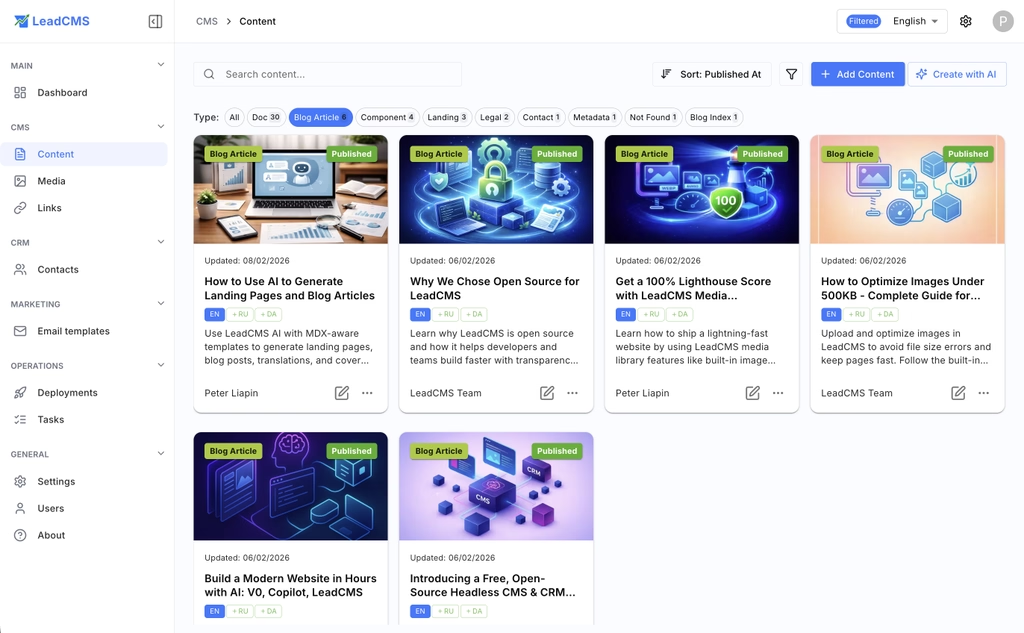
1. AI Content Generation That Understands Your Site
In earlier versions, AI generation was mostly standalone: you provided a prompt and got a draft back, but the model had no built-in awareness of your existing content, media library, or brand profile.
With v1.3.17, AI generation is now deeply integrated into your site context. LeadCMS continuously indexes metadata about your published content and media so generation can be guided by what already exists.
What this enables:
- Relevant media suggestions pulled from your existing library
- Better alignment with your site profile (brand voice, audience, topics, editorial rules)
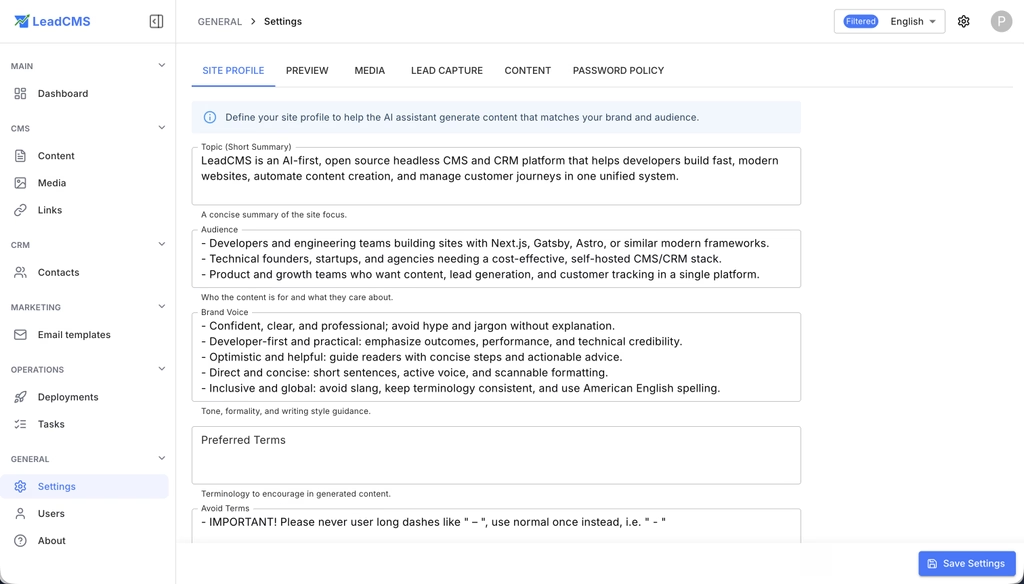
- Ability to reference existing published content for consistent terminology, style, and internal links
- Option to attach specific media files to a generation request
- Option to provide reference content so the AI rewrites, expands, or adapts instead of starting from zero
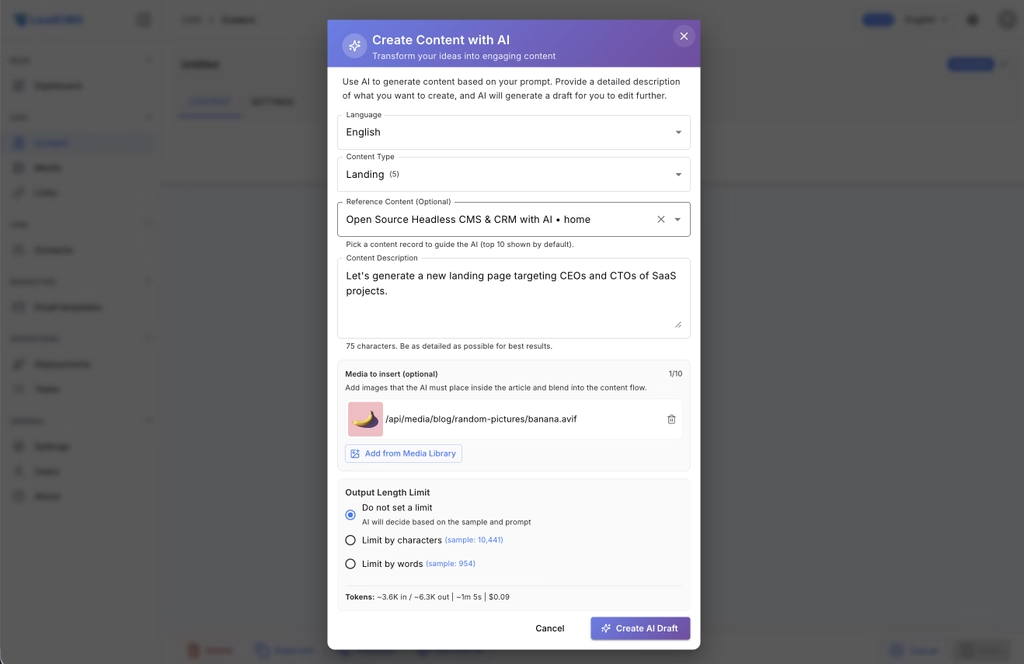
The outcome is more consistent drafts that feel like they belong on your site, with less manual cleanup.
2. AI Cover Image Generation and Cover Management
Every content item now has a dedicated cover image workflow, backed by AI and automated optimisation.
In practice:
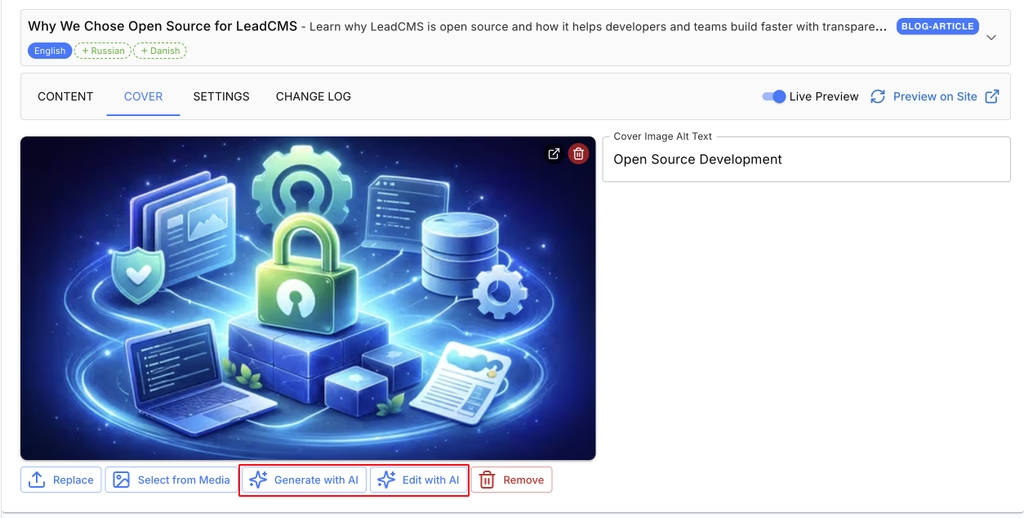
- Generate a cover image from the editor using AI cover image generation, based on title, body, and site profile
- Define cover requirements in the site profile (dimensions, aspect ratio, style guidelines, quality targets)
- Automatically fit and shrink covers to match your standards without external tools
- Replace covers anytime by selecting an existing file or re-triggering AI generation with an updated prompt
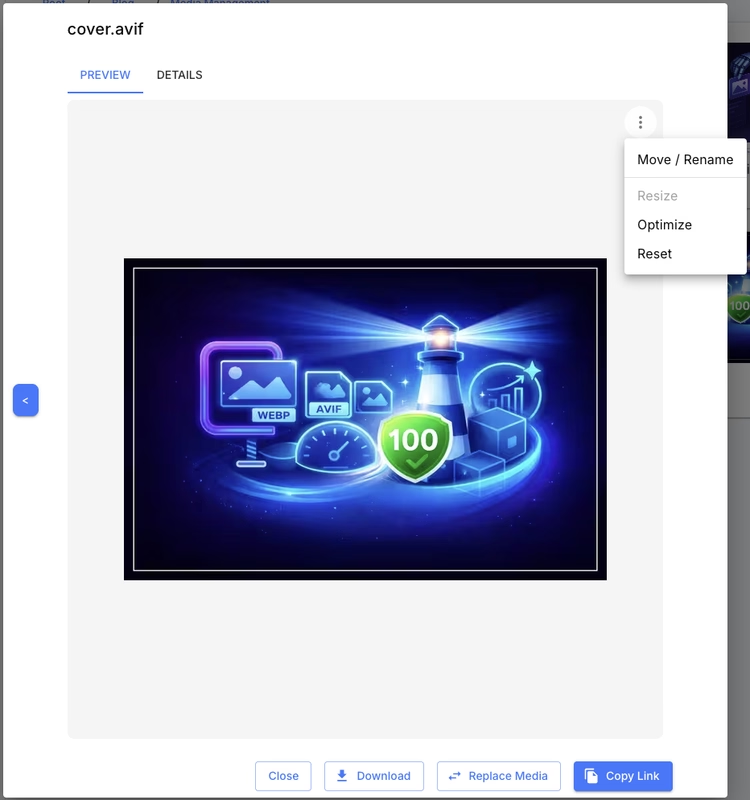
- Covers run through the same optimisation pipeline as all media, and you can re-optimise without losing the original
This brings consistency across your site and reduces the overhead of maintaining images for every page and post.
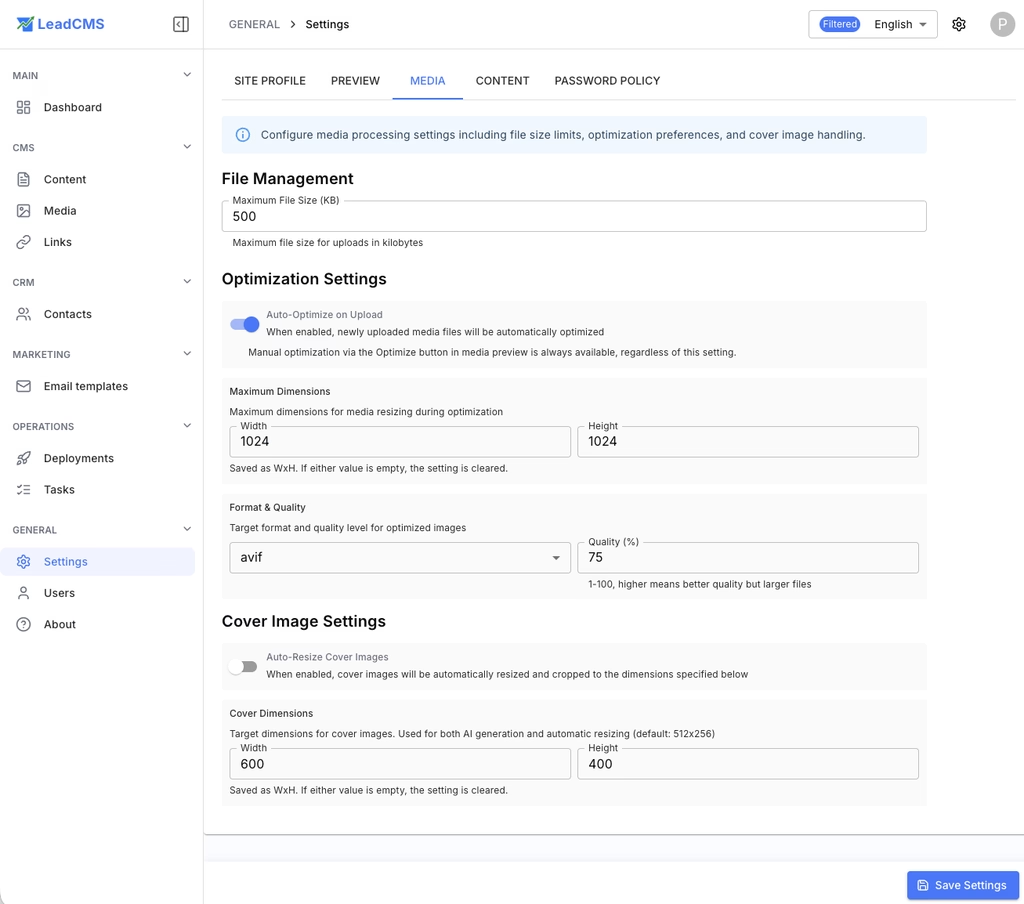
3. Media Management and Image Optimisation (No More 500 KB Limit)
Media handling has been redesigned to support real-world content workflows. The previous hard 500 KB limit made high-quality imagery difficult, and often forced manual resizing outside the CMS.
The new system:
- Uploads of any size are supported, while always retaining the full-resolution original
- On-the-fly optimisation ensures users receive images resized and compressed for their context
- Re-optimise on demand for one file, a folder, or the entire library when settings change
- Media preview now supports PDF inline viewing and video preview, not only images
This change helps content teams move faster while making it easier for developers to maintain strong performance.
4. Media Organization: Folders, Renaming, and Content Sync
Large media libraries need structure, but reorganizing assets mid-project used to be risky. In v1.3.17, LeadCMS makes media refactors safe.
You can now:
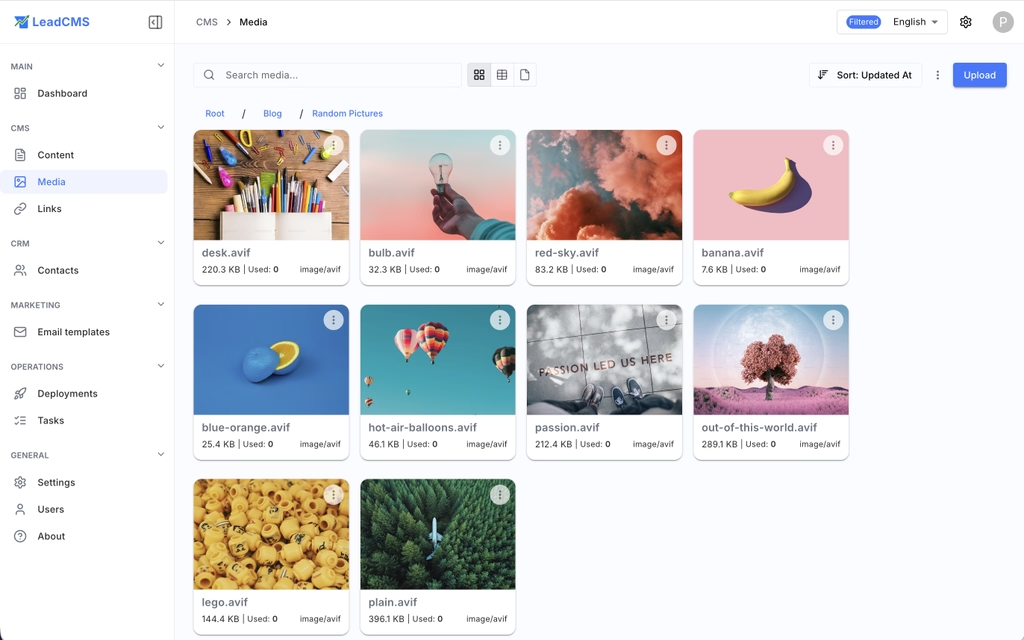
- Create, rename, and delete folders
- Move files across folders and rename files freely
- Automatically update all content references when a file is moved or renamed (no broken links)
- See a usage count for each media file to identify what is referenced and what is unused
- Keep the original high-resolution source, so reorganisation and re-optimisation stay non-destructive
This is especially useful for teams scaling content over time, where naming conventions and folder structures inevitably evolve.
5. Deployments: Editor-Driven Delivery
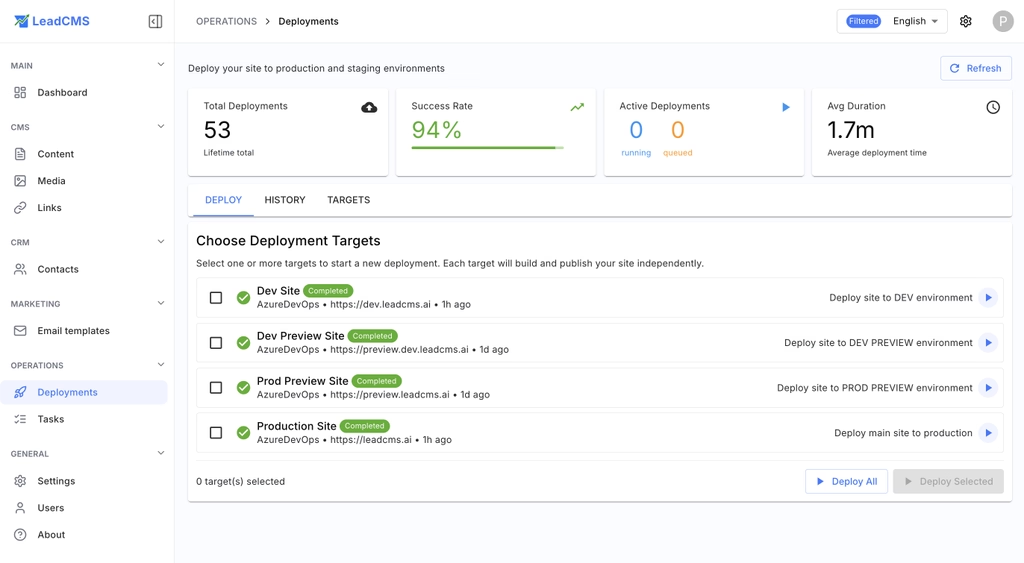
The Deployments module was built to solve a practical problem: shipping changes should not require a developer, access to a CI/CD pipeline, or jumping between tools. Content writers should be able to make a change, verify it in live preview, and deliver it to production themselves.
In v1.3.17:
- A dedicated Deployments area lets editors trigger delivery directly from LeadCMS
- Editors can preview changes in live preview and then deploy when ready
- A deployment list shows timestamp, status, and who and when triggered it
This makes publishing faster and more independent, especially for teams where content updates should move without engineering involvement.
What This Release Means in Practice
LeadCMS v1.3.17 makes day-to-day content operations smoother:
- AI produces drafts that match your voice and reuse what you already have
- Cover images become a repeatable, consistent workflow
- Media becomes flexible and performance-oriented without editor burden
- Reorganizing assets no longer breaks content
- Editors can place images faster inside MDX
- Teams can deliver changes without going through developers or CI/CD tools
If you are running LeadCMS for a marketing site, docs portal, or product-led SaaS, these improvements reduce friction across writing, review, publishing, and performance.
Join Our Community
If you want to follow releases, share feedback, or contribute:
GitHub
Check out the LeadCMS repositories - star and follow the project, file issues, or open a pull request. You can also use GitHub Discussions for questions and ideas.
Thanks for using LeadCMS and for helping shape the roadmap with feedback. v1.3.17 is a step toward a more unified workflow where AI, content, media, and publishing work together by default.